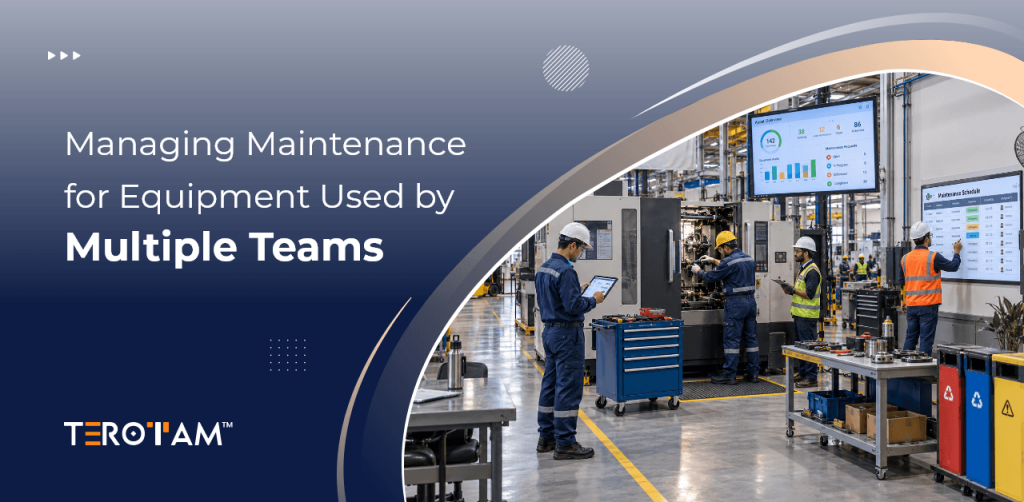
Maintenance teams at small and mid-size operations often work with tight budgets, limited staff, and equipment that cannot afford extended downtime. Every hour spent tracking down asset histories or manually creating work orders pulls technicians away from the floor where they deliver real value. The pressure to keep production moving makes maintenance software decisions critical.
Many CMMS platforms promise extensive capabilities but deliver complexity that smaller teams cannot absorb. Feature overload leads to poor adoption, incomplete data, and tools that sit unused while maintenance chaos continues. The right system simplifies daily workflows without demanding dedicated administrators or weeks of training.
This article breaks down the CMMS features that deliver immediate returns for teams of 10 to 100 technicians. We focus on capabilities that reduce emergency repairs, speed up routine tasks, and provide clear visibility without unnecessary complication.
Which CMMS Capabilities Deliver Real Value on Day One?
Asset visibility forms the foundation of effective maintenance. Teams need instant access to equipment history, warranty details, and previous repair notes without digging through paper files or shared drives. A centralized digital registry with QR code tagging lets technicians scan any machine and see its complete maintenance record on a mobile device. This immediate access cuts diagnosis time and prevents repeating past mistakes.
Work order automation removes administrative friction that slows response times. When a machine hits a usage threshold or a calendar date arrives, the system should generate the appropriate task without manual intervention. Automated triggers ensure preventive actions happen consistently even during busy production cycles. Technicians receive assignments directly on their phones, eliminating the need for whiteboards or shouted reminders across the shop floor.
Reporting simplicity matters more than advanced analytics for most SMBs. Maintenance managers need to show uptime percentages, cost per repair, and compliance documentation to leadership without building custom dashboards. Exportable reports that compile automatically provide the evidence needed for budget requests and operational reviews. Complex data visualization tools often go unused while straightforward summaries drive actual decisions.
Build Your Maintenance Foundation With These Core Features
Start with features that integrate smoothly into existing workflows and deliver measurable improvements within the first 30 days. Overcomplicating the initial setup causes teams to abandon the system before realizing its benefits. Focus on capabilities that solve daily frustrations rather than theoretical future needs.
- Scan a QR tag to pull up complete equipment history and see what failed last month and why
- Receive automatic work orders when machines reach 500 operating hours to prevent bearing failures
- Update task status from the production floor using a phone instead of returning to the office
- Schedule monthly lubrication and filter changes to reduce unexpected breakdowns by 40 percent
- View a dashboard showing open tasks, overdue maintenance, and critical asset status in one glance
- Track spare parts inventory and get alerts when stock runs low before creating the next work order
- Generate compliance reports with one click for safety audits and insurance requirements
- Assign permissions so supervisors approve tasks while technicians only see their assigned work
How IoT and Predictive Tools Scale With Your Growth
Advanced capabilities should layer in gradually as your operation matures and data accumulates. Starting with vibration sensors on your three most critical production machines provides early warning without overwhelming your team. These sensors detect abnormal patterns before catastrophic failure occurs, giving you time to schedule repairs during planned downtime.
Condition-based alerts notify maintenance staff when temperature or vibration readings cross safe thresholds. This approach moves beyond calendar-based schedules to maintenance triggered by actual equipment behavior. Teams fix problems when they emerge rather than on arbitrary dates that may be too early or too late.
AI-powered analytics highlight failure patterns across your asset base without requiring data science expertise. The system might reveal that pumps in the west wing fail 30 days after filter changes are missed. These insights help refine maintenance procedures and training priorities based on your specific operation rather than generic industry advice.
CMMS for Small to Medium Size Operations That Solve Real Maintenance Problems
Small and mid-size operations need maintenance software that works from day one without demanding dedicated administrators or weeks of training. Enterprise platforms create unnecessary complexity while micro-team tools lack the structure needed as you grow. The right CMMS automates daily tasks, prevents emergency breakdowns, and scales with your technician count without forcing workflow changes. Focus on platforms that deliver immediate value through asset visibility, work order automation, and simple reporting.
TeroTAM
TeroTAM delivers 360-degree asset management designed specifically for teams of 10 to 100 technicians. The platform integrates QR, NFC, and RFID tagging to create instant equipment visibility without manual data entry. Its automated work order engine connects directly to runtime counters and IoT sensors so preventive tasks trigger based on actual machine behavior rather than calendar dates that get missed during production rushes.
- Scan QR tags to pull complete equipment history so technicians fix repeat failures 15 minutes faster without searching paper files
- Receive automated work orders when machines hit runtime thresholds because calendar reminders disappear during busy production cycles
- View asset health metrics and technician workload on one dashboard to balance assignments before emergency breakdowns occur
- Track spare parts inventory linked directly to work orders so critical components reorder automatically before failures stop lines
- Generate compliance reports with one click since safety audits arrive without warning and manual documentation wastes hours
- Deploy predictive maintenance alerts on critical machines because the system translates sensor data into plain maintenance actions
- Update task status from mobile devices anywhere on the floor so technicians stay productive instead of returning to the office
- Scale smoothly from 10 to 100 technicians on the same platform as your operation grows without migrating data
Fiix
Fiix by Rockwell Automation provides straightforward work order management for teams under 25 technicians. The platform emphasizes mobile accessibility and calendar-based preventive maintenance scheduling. Setup typically completes within days rather than weeks, making it practical for operations without dedicated IT support or maintenance planners.
- Create and assign work orders through a simple mobile interface so small teams adopt the system within days rather than weeks
- Schedule preventive tasks on calendar dates because standardized equipment does not yet require sensor integration
- Access basic uptime reports to show management performance without building custom spreadsheets each month
- Integrate with common accounting tools to track maintenance spending against department budgets
- Rely on Rockwell’s support network during setup since small operations lack dedicated IT staff
- Work around limited inventory features because very small teams manage parts through separate spreadsheets
- Accept additional fees for advanced capabilities as your maintenance program matures beyond basic tracking
UpKeep
UpKeep serves micro-teams of 5 to 15 technicians who need immediate simplicity over comprehensive features. The mobile-first design lets single-person maintenance departments manage everything from their phone between repair calls. Setup completes in under 48 hours but the platform shows limitations once teams grow beyond 30 technicians or require detailed compliance documentation.
- Launch maintenance tracking in under 48 hours because single-person departments need immediate simplicity
- Manage everything from a phone between repair calls since micro-teams cannot afford desktop-only software
- Skip unused analytics modules that complicate the interface for teams without dedicated planners
- Order parts on demand rather than track inventory because very small operations lack storage for spare components
- Navigate limited customization when managing mixed equipment types since the platform works best with standardized assets
- Plan for platform limitations around 30 technicians when work order volume exceeds the system’s design capacity
- Supplement built-in reporting with third-party tools for compliance audits because native documentation lacks required detail
Limble CMMS
Limble CMMS targets small manufacturing and facilities teams needing straightforward preventive maintenance scheduling. The platform emphasizes ease of use with drag-and-drop scheduling and basic mobile functionality. It works well for operations with under 20 technicians managing standardized equipment but lacks advanced asset tracking capabilities for complex machinery environments.
- Schedule preventive maintenance through drag-and-drop calendars so supervisors assign tasks without technical training
- Receive email and SMS notifications for upcoming work orders because teams miss paper-based reminders during busy shifts
- Track basic asset information including purchase dates and warranty periods for simple equipment inventories
- Access mobile work order completion so technicians update status from the production floor
- Generate simple downtime reports to show management monthly equipment availability trends
- Work within limited customization options that fit standardized workflows but struggle with unique maintenance procedures
- Accept basic inventory tracking that shows part quantities but does not auto-generate reorder requests
MaintainX
MaintainX combines maintenance management with digital checklists and safety compliance tools for teams of 15 to 50 technicians. The platform emphasizes communication features that let technicians attach photos and notes directly to work orders. It suits operations where maintenance overlaps with safety inspections and quality checks but offers less depth in asset lifecycle tracking compared to dedicated CMMS platforms.
- Attach photos and notes directly to work orders so technicians document repairs without separate paperwork
- Complete digital safety checklists alongside maintenance tasks because compliance and repairs often happen during the same visit
- Receive real-time notifications when work orders change status so supervisors track progress without constant follow-up calls
- Access offline mobile functionality for facilities with poor connectivity since work continues without internet access
- Generate audit trails showing who completed each task and when for regulatory compliance requirements
- Work around limited predictive capabilities because the platform focuses on task completion rather than failure forecasting
- Scale communication features across multiple locations but manage complex asset histories through supplemental systems
Conclusion
Choosing a CMMS means prioritizing features that solve today’s problems without creating tomorrow’s headaches. Small and mid-size operations succeed when they implement tools that technicians actually use and that deliver clear reductions in downtime and repair costs.
The best systems disappear into the workflow, making maintenance execution smoother without demanding constant attention. Focus on asset visibility, automated task creation, and simple reporting before exploring advanced analytics.
Ready to match your operation with a CMMS that fits your team size and growth plans? Reach out to contact@terotam.com for a no-pressure assessment of which features will move your maintenance program forward.